 شركة MAKE Lock

ما هو قفل الحاسوب المحمول? إنه منتج أمني يمنع سرقة الحواسيب ماديًا. يمكن عمومًا تقسيم أقفال الحاسوب إلى عدة أجزاء: الكابل, القفل (الرمز أو المفتاح), حلقة T, المفتاح (للأقفال بالمفتاح), وبالقفل باستخدام فتحة القفل على الجهاز, يتم تحقيق الحماية المادية للجهاز من السرقة.
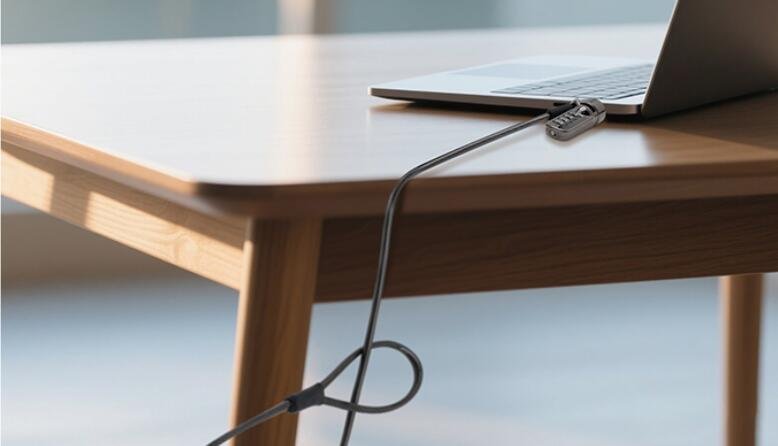
مع مرور الوقت, أقفال الحواسيب المحمولة تتطور ببطء إلى أنواع مختلفة وأكثر صلة. لذا, ما هي أنواع أقفال الحاسوب المحمول? According to the different criteria for division, computer locks can be categorized as follows:
According to the type of lock: laptop locks can be divided into key locks and combination locks;
Divided according to the object of locking, laptop locks can be divided into laptop locks, desktop locks (can lock desktop computers and other devices with standard lock holes);
According to the different ways of unlocking, can be divided into password unlocking, key unlocking;
Divided according to customer demand, it can be divided into standard locks and customized locks, of which the customized locks belong to the customer’s customized products, which can provide three kinds of solutions, such as multiple locks and one key, multiple locks and multiple keys, one-to-one and public key, etc., which can provide convenience for the customer’s daily management of the equipment.
MAKE laptop locks are made of zinc alloy and the cable is made of PVC+steel wire, which provides a high security factor for the lock cylinder and a strong and durable cable that is not easy to be cut, ensuring a safer computer. At the same time, the key model is equipped with tubular, Ambilight key structure, high security factor; password model password wheel toggle smooth, easy and quick installation, when forgetting the password can be password reset in just four simple steps. Lock, الكابل, buckle and other accessories can be selected to match to meet the diverse needs of users.
In addition to laptops, MAKE computer locks can be used on items such as projectors and suitcases, وكذلك في متاجر الكمبيوتر أو مراكز التسوق لتوفير الحماية اليومية لأجهزة الكمبيوتر والمعدات الأخرى!