 Compania MAKE Lock

In this era of rapid digitalization, computers have become an important and indispensable tool in our life and work. However, the ensuing problems of equipment and information security have become increasingly prominent.
How can we protect our computers from unscrupulous elements? A high-quality computer lock may be able to provide you with solid protection. Today, let’s discuss the knowledge of computer locks!
Part 1
First, the role of computer locks
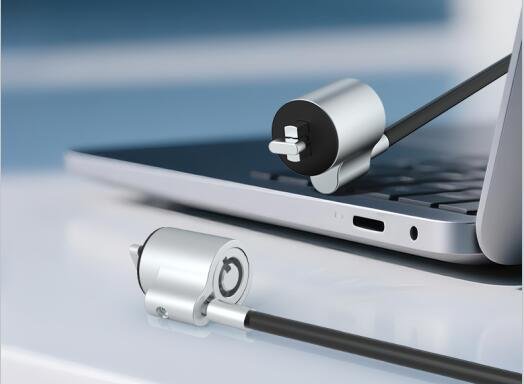
The main function of a computer lock is to prevent unauthorized movement of your computer. Whether you are in a public place (e.g. coffee shop, library), office or at home, a computer lock can provide extra security for your computer, preventing it from being stolen or information from being stolen.
Types and Features
There are many types of computer locks on the market, including cable locks, which are usually used to secure a laptop or desktop computer and lock the device to a fixed object, such as a table, chair, or wall through a steel cable, cable locks are lightweight and easy to carry, suitable for carrying; different brands of computer locks in terms of material, length, password protection, and so on, which can be selected according to individual needs.
how to buy computer locks?
In the purchase of computer locks, the first thing to consider is their own use of the scene and demand. If it is used in public places, it is recommended to choose a lightweight and strong protection ability of the cable lock. In addition, attention should also be paid to check the material, workmanship and brand reputation of the computer lock to ensure that the purchase of high-quality products.
Part 2
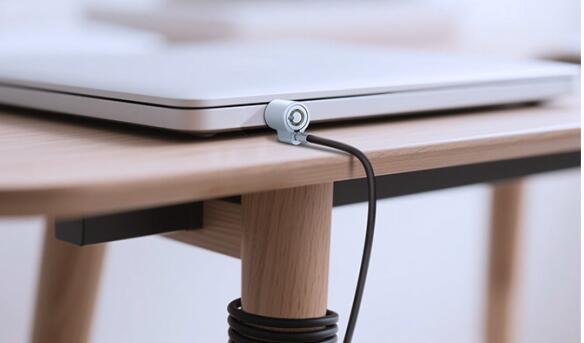
MK808 is a computer lock specially developed for laptops and desktop computers, which can prevent unauthorized movement of your computer and ensure the security of your computer.
Features and Functions
MK808 has a compact appearance, standard 3*7mm lock hole, compatible with 95% of laptops, desktop computers, projectors and other devices on the market.
It belongs to the tubular key structure, supports customization, and can choose lock, cablu, buckle and other accessories to match freely.
The lock body is mainly made of zinc alloy material, which is sturdy and durable, effectively preventing violent damage. The surface has been powder coated, painted, bright nickel, wrapped with rubber special process, which makes the lock more beautiful and durable.
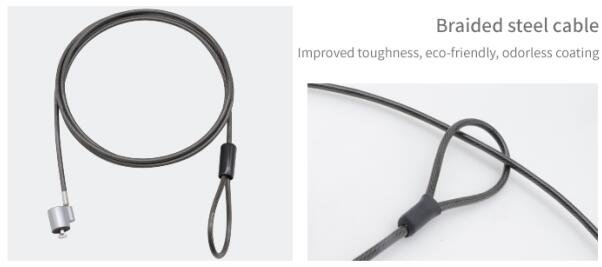
The cable is made of PVC+steel wire, with tensile strength up to 100 pounds; the length is 1.8m, which is easy to carry and at the same time, it has certain layout flexibility and convenience of use.
The number of key teeth flower is up to 10,000 or more, high security. The lock is equipped with a universal key, which is convenient for management and solves the problem of users being unable to unlock the lock due to loss of keys.
Installation and use
One end of the lock can be fixed on the lock hole of the computer, and the other end can be fixed on the table, cabinet or other fixed objects.
When in use, just turn the key to unlock or lock the computer.
Se recomandă citirea atentă a manualului produsului înainte de utilizare pentru a asigura instalarea și utilizarea corectă.
Întreținere și îngrijire
Pentru a prelungi durata de viață a încuietorii computerului și a menține performanța sa de protecție bună, se recomandă ca încuietoarea computerului să fie întreținută și îngrijită regulat.
Inclusiv curățarea suprafeței încuietorii de praf și murdărie, verificarea dacă încuietoarea și cilindrul de încuietoare sunt flexibile și netede, înlocuirea regulată a cheilor etc..
In addition, trebuie avută grijă să nu se expună încuietoarea computerului la umiditate sau temperaturi ridicate, pentru a nu afecta utilizarea sa normală.
Tradus cu DeepL.com (versiune gratuită)